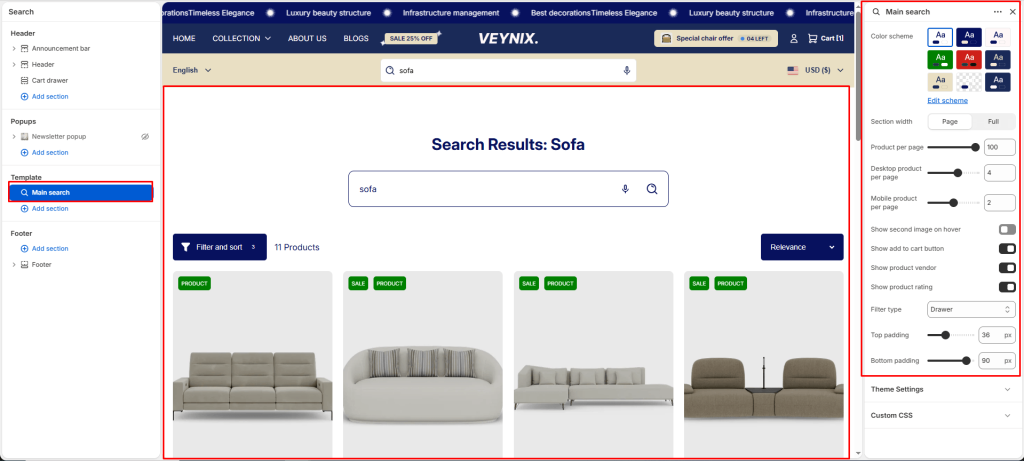
The Main Search section renders the site search results page, displaying matching products, articles, and pages for a given query.
Section Settings #
Color scheme #
Choose a predefined color scheme to control the section’s background, text, and accent colors, keeping it consistent with the rest of the theme design.
Section width #
Control how wide the section appears on the page.
Options:
- Page
- Full
Product per page #
Use the slider to fine-tune this value numerically.
Desktop product per page #
Use the slider to fine-tune this value numerically.
Mobile product per page #
Use the slider to fine-tune this value numerically.
Show second image on hover #
Toggle this feature on or off.
Show add to cart button #
Toggle this feature on or off.
Show product vendor #
Toggle this feature on or off.
Show product rating #
Toggle this feature on or off.
Filter type #
Choose one of the available options from the dropdown.
Options:
- Vertical
- Horizontal
- Drawer
Top padding #
Add vertical spacing above the section content for better layout balance with the section above it.
Bottom padding #
Add vertical spacing below the section content for better layout balance with the section below it.